How to Install WordPress on Your Hosting (Step-by-Step Guide)
If you want to build a website, WordPress is one of the easiest and most popular ways to get started.
The good news is that installing WordPress is much simpler than most people think. You do not need technical skills, and most hosting platforms make the process quick and straightforward.
In this guide, we will walk you through how to install WordPress on your hosting step by step.
❓ Quick Answer: How Do You Install WordPress?
You can install WordPress on your hosting using a one-click installer in your hosting control panel such as cPanel. This automatically sets up your website, database, and configuration in just a few minutes.
What You Need Before Installing WordPress
Before you begin, make sure you have:
- A registered domain name
- Active hosting account
- Access to your hosting control panel
If you do not have these yet, start here:
[how to launch a business website in south africa step-by-step guide]
Method 1: One-Click WordPress Installation (Recommended)
This is the easiest and fastest method.
Most hosting providers include tools like Softaculous or similar installers.
Step 1: Log Into Your Hosting Control Panel
Access your hosting dashboard (usually cPanel).
This is where you manage your website, files, and applications.
[website hosting explained for non-technical business owners]
Step 2: Find the WordPress Installer
Look for:
- Softaculous Apps Installer
- WordPress Installer
- Website Installer
Click on WordPress.
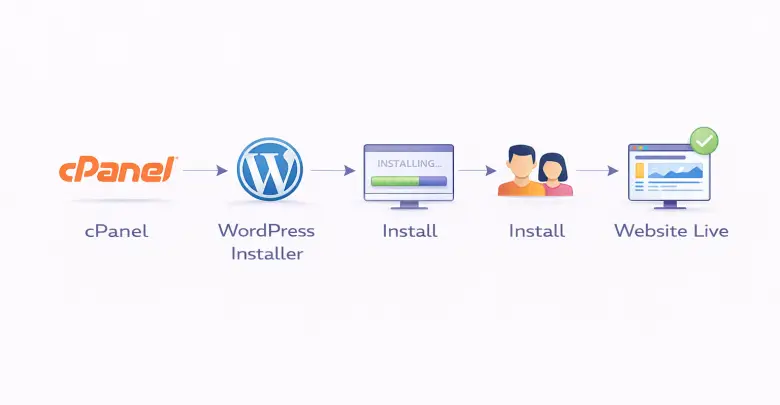
Step 3: Click “Install”
Select:
- Your domain name
- Installation directory (leave blank for main site)
This tells the system where to install WordPress.
Step 4: Enter Your Website Details
Fill in:
- Site name
- Admin username
- Admin password
- Email address
Make sure your password is secure.
Step 5: Complete the Installation
Click install.
Within a few minutes, your WordPress website will be ready.
You will receive a login URL like:
yourdomain.co.za/wp-admin
Method 2: Manual WordPress Installation (Advanced)
Manual installation is less common but useful in some cases.
It involves:
- Downloading WordPress
- Uploading files to your server
- Creating a database
- Running the setup
Most beginners should use the one-click method instead.
What to Do After Installing WordPress
Once installed, your website is live but still needs setup.
Choose a Theme
Your theme controls how your website looks.
You can choose free or premium themes from the WordPress dashboard.
Install Essential Plugins
Plugins add functionality.
Examples:
- SEO plugins
- Security plugins
- Backup tools
Create Your Pages
Start with:
- Home page
- About page
- Services page
- Contact page
These are the foundation of your website.
Secure Your Website
Make sure your website is protected.
This includes:
- SSL certificate
- Strong passwords
- Regular updates
[what is website seo and why it matters for your business]
Common WordPress Installation Mistakes
Avoid these:
- Using weak passwords
- Installing in the wrong directory
- Forgetting to update WordPress
- Not setting up backups
These can cause problems later.
Troubleshooting Tips
If something goes wrong:
- Check your domain is pointing correctly
- Ensure hosting is active
- Clear your browser cache
Most installation issues are easy to fix.
[website not loading 10 quick fixes you can try]
How Long Does It Take to Install WordPress?
With one-click installation, it usually takes:
- 5 to 10 minutes
Manual installation may take longer.
Why WordPress Is a Good Choice
WordPress is popular because it is:
- Easy to use
- Flexible
- SEO-friendly
- Scalable
It works well for both small and growing businesses.
Final Thoughts
Installing WordPress is one of the easiest steps in building a website.
With the right hosting and tools, you can have your website up and running in minutes.
From there, you can start building your content, attracting visitors, and growing your business online.
Ready to Launch Your Website?
Reliable hosting helps keep your website fast, secure, and available for your customers.

Go Live. Go Fast. Go Hostigo. Discover our commitment to delivering hosting that keeps your website performing at its best.
Copyright © 2026 Hostigo PTY Ltd. All Rights Reserved